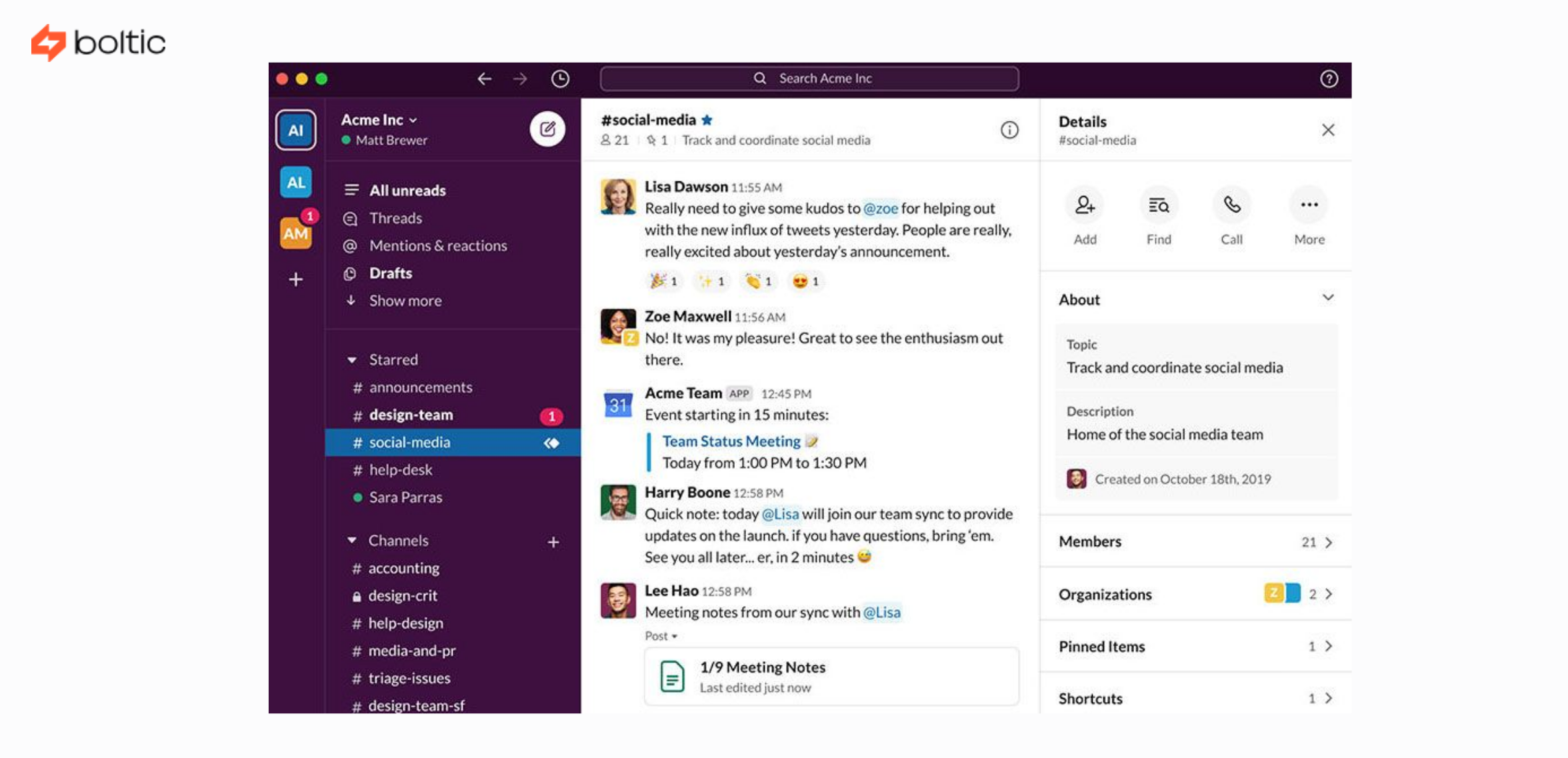


Slack has come a long way from being a mere messaging application. It has become the nervous system of many teams’ work today. As organisations grow, managing operations effectively becomes more challenging, and manual processes quickly become bottlenecks. Here is where Slack automation is needed. The teams are also enabled to work smarter, not harder, by automating notifications, workflows, and cross-tool communication.
Slack automation has become considerably more advanced in 2026, particularly with the introduction of Workflow Builder, additional integrations, and platforms such as Boltic that extend Slack well beyond its initial design. Slack automation can help de-friction IT operations, HR onboarding, planning marketing campaigns, and sales pipelines, and ensure that information flows where it is supposed to.
This guide covers the background of Slack automation, its importance, its most popular applications in 2026, and how teams across IT, HR, and marketing can utilize automated Slack notifications to the fullest.
What Is Slack Automation?
Slack automation entails developing workflows of an automated nature within Slack, which are automatically activated by particular action(s), data input(s), or external events. The workflows can send notifications, seek approvals, update team members, gather information, or transfer data between apps without human intervention. Simply put, automation means that a task still runs in Slack even when no one manually triggers it.
Slack automation also eliminates repetitive work in your day-to-day life. Teams do not have to manually share updates or ticket statuses or track approvals; Slack handles it in real time. This reduces errors and promotes consistency throughout the organization.
Slack automation gained momentum because people use Slack to communicate. Updates created where people already work are more likely to be noticed and acted on. This is a powerful operational hub, given that Slack is such a central hub for communication and workflow.
The core components of native Slack automation
The native automation that Slack offers is based on a few significant elements that collaborate. Every component performs a particular task in constructing work patterns, initiating activities, and being joined with tools. The native components of Slack are:
- The no-code workflow automation tool is called Workflow Builder.
- Triggers that initiate workflows for actions such as form use or emoji use.
- Steps, what Slack needs to do, i.e., send a message or gather data.
- Integrations enable Slack to communicate with apps such as Google Drive, Jira, Notion, HubSpot, Zendesk, and Trello.
- Slash commands- short user-typed commands that have the potential to trigger workflows immediately.
Although these elements are the building blocks, native automation also has its boundaries. For more sophisticated requirements, such as multi-app processes or multi-phase data movement, teams tend to use applications like Boltic. They enable you to create more refined, cross-platform automations without using code. Nevertheless, Slack's built-in capabilities are sufficient for most internal assignments. Even a basic workflow, such as a form that gathers information and sends it to a channel, will save teams dozens of hours in the long run.
How Slack's workflow builder powers your Slack automation?
The central point of Slack automation is Workflow Builder. It is structured so that anybody, even without technical knowledge, can make automated sequences. The construction is based on a drag-and-drop interface, and workflows can be easily created to react to events and take specific actions. A significant benefit of Workflow Builder is that it enables a team to make small steps towards automation. You do not have to be technical to make your first workflow. You just give a definition of what must initiate a process of automation and what follows. Workflow Builder offers a number of practical actions:
- Gathering feedback by use of forms and keeping it tidy.
- Communicating automated messages to channels or direct messages.
- Causing approvals or follow-ups.
- Reminding and scheduling messages.
- Integrating to transfer or retrieve data by selecting apps.
In 2026, Slack launched new AI recommendations in Workflow Builder, enabling users to create workflows more quickly. The system is now capable of providing innovative suggestions for triggers, actions, and integration steps based on how your team has been using it. This makes the builder more intuitive and saves time when setting up automations.
Workflow Builder also supports more sophisticated multi-step actions, custom forms, and conditional logic, enabling teams to create workflows that feel like their own custom creations. Workflow Builder, together with Boltic, is a high-impact productivity engine.
Everyday use cases for Slack automation across teams

Slack has become the team's universal communication hub, so it is the right environment for automatic workflows to align, inform, and make work more efficient. In 2026, most companies across all departments will adopt Slack automation to minimise manual labour, communication delays, and time-to-decision.
Slack automation is used in practically every team in a modern organisation. Although each function has its own priorities, the principal value remains the same: fewer bottlenecks, faster information flow, and greater clarity. The most widespread and practical uses are the following:
- Real-time Key Event Notifications: Automated critical updates, such as sales wins, system issues, payment failures, customer escalations, or campaign milestones, are sent to teams to ensure no significant information is overlooked.
- Daily or Weekly Automated Updates: Slack can be set up to automatically retrieve and publish progress reports, so you don't have to follow teams to stay up to date. This helps maintain transparency and reduce meeting overload.
- Efficient Onboarding and HR procedures: Automation enables HR teams to distribute onboarding checklists, policy alerts, leave approvals, and training courses, making the process reliable and headache-free for both HR teams and new employees.
- IT Workflows and Support Ticket Routing: Tools such as Zendesk, Jira, or Freshservice can be automated by IT and support teams, enabling faster resolution of issues related to notifications, assignments, and ticket status.
- Interdepartmental Approval Workflows: Budgets, content, procurement, or design approvals can be automated so that requests are sent to the appropriate parties in real time and approved faster.
- Data Usage and Data Collection: The automation gathers form responses, polling feedback, and Slack interaction data without manually following spreadsheets.
- Linking Tools to a Unified Communication Centre: Since workgroups depend on tools such as Asana, HubSpot, Google Analytics, GitHub, and Salesforce, Slack automation will keep all updates in sync. It unites silos of tools and makes the visibility of everyone in real-time without app switching.
Why Slack automation is a Game-Changer?
Slack automation changes how companies operate by bringing information to where people naturally work. Slack is a tool that offers real-time visibility, eliminating the need to switch between tools or wait to manually update something.
Repetitive tasks are automated, allowing teams to focus on strategic work. Background workflows are more reliable, thereby improving overall productivity. There are also fewer errors in teams because automation standardizes the process.
The fact that Slack can be combined with other tools can only strengthen it. Consequently, teams cease to work with communication silos or disseminated data. Instead, Slack becomes a single hub for work.
Some additional reasons why Slack automation is a true game-changer include:
- It accelerates response times, ensuring teams act on issues the moment they occur.
- Automated updates ensure no important detail is missed, even during busy periods.
- Teams gain a shared source of truth, reducing confusion and duplicated work.
- Automation scales easily, supporting growing teams without increasing operational load.
- Leaders get more apparent oversight into workflows, helping them make faster, data-driven decisions.
Benefits of Slack Automation
Slack automation offers a wide range of benefits that directly improve productivity, communication, and overall team performance. By automating daily operations and consolidating information flow, teams will be able to work more clearly and swiftly. Some of the significant advantages are:
- More timely decision-making and faster, with real-time alerts that keep the teams updated on something important every time.
- Fewer manual labour through the removal of repetitive tasks that include reminders, status updates, and data collection.
- More consistent workflows, regardless of who executes them.
- Better transparency to both managers and stakeholders, brought about by automated summaries, updates, and consolidated information.
- Better alignment of teams, with all members receiving the same information in a common communication space.
- Minimal chances of human error, particularly in activities that require timely execution or precise data recording.
- Improved cross-tool connections via integrations that enable all systems, CRM, project management, analytics, and IT to be updated automatically.
The benefits are cumulative over time, allowing organisations to work smarter, reduce delays, and scale more efficiently.
Features of Slack Automation
Slack is built for automation, making it easy to generate workflows that meet the individual requirements of technical and non-technical teams. Its automation options are adaptable and expansive, suitable for any type of daily check-in and for highly complex multi-system operations. The most effective automation functions of Slack are:
- A drag-and-drop Workflow Builder with no code that allows anyone to create workflows without technical skills.
- Structured data is gathered through customizable forms integrated into Slack, eliminating the need for external surveys or spreadsheets.
- Conditional logic and multi-step actions enable the workflow to respond intelligently to different inputs and situations.
- Alternatives to scheduling reminders and automatic messages that help teams keep pace without having to manually follow up.
- A strong application directory with thousands of integrations, which link Slack to other tools such as Jira, HubSpot, Asana, Salesforce, and so on.
- Workflow recommendations powered by AI, allowing teams to create more innovative automation tailored to their models and requirements.
Workflow templates that can be reused and enable organisations to scale best practices across departments. Advanced automation is supported through external solutions such as Boltic, enabling cross-system operations, complex triggers, and deep integrations.
All these characteristics make Slack automation available, practical, and applicable to companies of all sizes looking to simplify their operations.
Conclusion
Slack automation has become an essential component of modern teams' work in 2026. Automation maintains the flow of information, minimises manual work, and ensures that the proper updates are delivered to the relevant parties when needed. It doesn't matter your field of work; IT, HR, sales, marketing, or operations, Slack will enable you to speed up work processes and enhance teamwork.
Boltic and similar tools can be used to take automation to even more complex levels, enabling the creation of multi-system workflows that summarise data and make workflows more efficient. Slack is now much more than a messaging platform: it is an automation engine that takes team performance to the next level.
drives valuable insights
Organize your big data operations with a free forever plan
An agentic platform revolutionizing workflow management and automation through AI-driven solutions. It enables seamless tool integration, real-time decision-making, and enhanced productivity
Here’s what we do in the meeting:
- Experience Fynd Boltic's features firsthand.
- Learn how to automate your data workflows.
- Get answers to your specific questions.