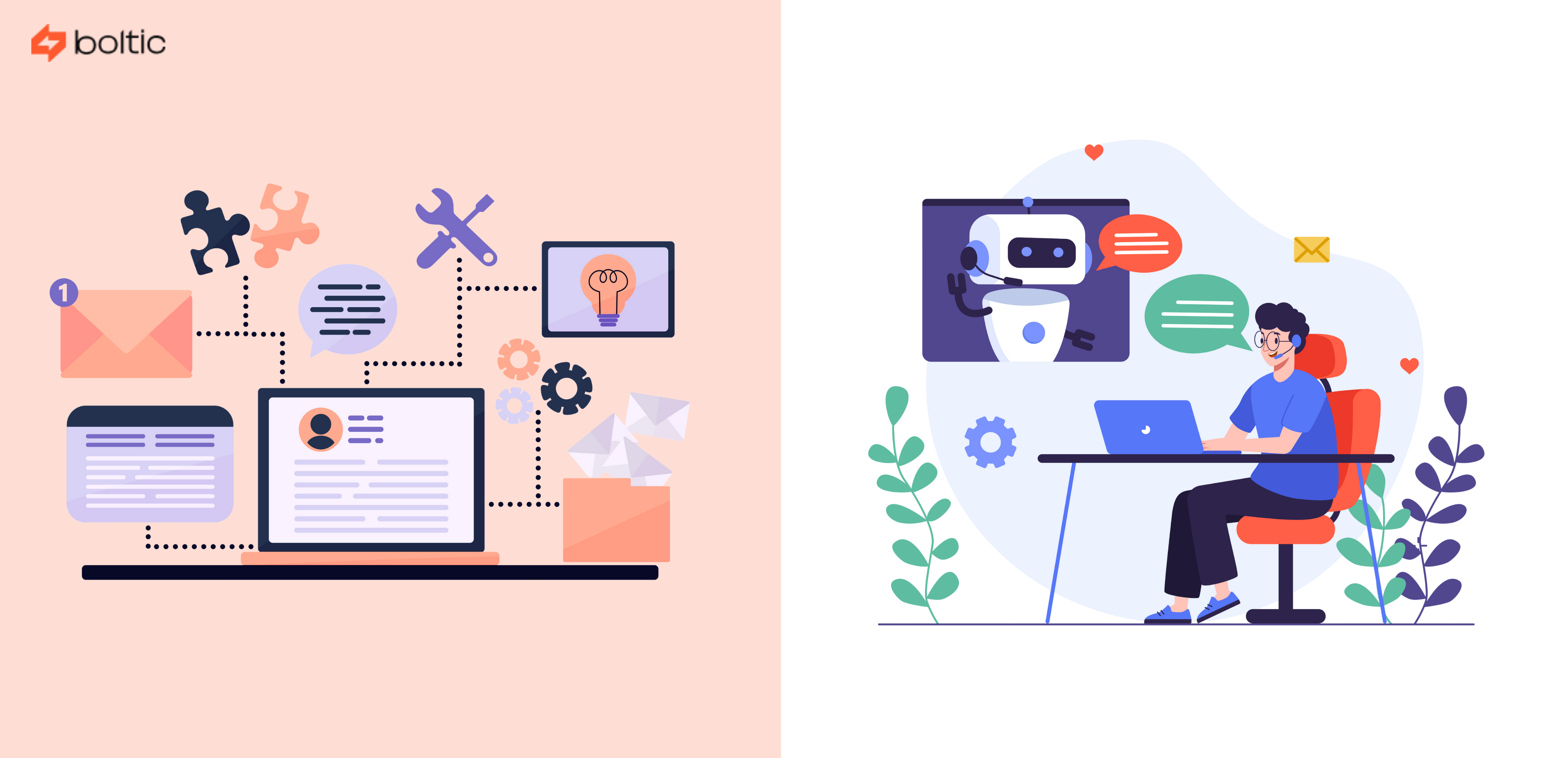

The marketing world is changing at a very high rate, and marketing automation is at the center of this change. It is no longer exclusive to large companies; companies of all sizes are implementing sophisticated automation systems that are already producing visible results in real, measurable outcomes.
- HubSpot increased qualified leads by 25% in just 6 months by implementing lead-scoring systems.
- Walmart achieved a staggering 215% increase in conversion rates through email personalization and targeted marketing automation with the help of AI.
These are not some fantastic figures on the spreadsheet. They are the new face of how modern marketing automation really works in competitive markets.
In this comprehensive guide, we'll explore what marketing automation really is in the practical sense, but also why it is of such importance at this moment than ever before, and address the fundamental benefits you can reasonably expect to get without resorting to a lot of unnecessary technical jargon that leaves any beginner puzzled.
What is Marketing Automation?
Marketing automation refers to the application of technology and software in the process of automating marketing activities such as sending emails, lead nurturing, audience segmentation, and tracking customer behavior.
Automated workflows are more effective because they provide the appropriate content to the appropriate individual at the appropriate time and place, instead of the individual manually following up or scheduling. This assists businesses save time, enhance consistency, communicate with the people at scale, and convert more leads into customers.
Simply stated, marketing automation takes care of all repetitive tasks to enable groups of people to concentrate on the strategy and growth.
What Problem Does Marketing Automation Solve?
Let's be honest, if you're new to marketing, you probably already feel overwhelmed. This is what most struggle with.
You receive a new lead (someone interested in your business). You want to send them an email. However, there is another lead. And another. Next thing you know, you need to send out 50 emails, and you are manually typing them out one at a time. That takes forever.
Then there is the follow-up problem. You send someone an email, but they don't reply.
- Do you send another email?
- When?
- How many times?
You're not sure, so some leads just disappear. You never follow up, as you are too busy, and they shift to a competitor.
On top of this, every lead is different. Some people visit your website just once. Others visit five times. Should they get the same message? Probably not. However, it is impossible to write individual messages manually.
This is where marketing automation comes in. It does all this automatically, and therefore, you can concentrate on growing your business, rather than mailing emails throughout the day.
How Marketing Automation Actually Works
Think of marketing automation like a robot assistant that never gets tired. You set it up once, and it works 24/7.
Let’s take a simple example with respect to a newsletter: Someone signs up for your newsletter.
- Immediately, they get a welcome email.
- Three days later, they automatically get another email with a helpful tip.
- Five days later, another email with a customer success story.
- A week later, an email with a special offer.
This all happens automatically, without you having to do anything.
The cool part? You control what each email says. You also control when they get sent and who gets them. You are not losing control, you are just automating the boring stuff.
The Many Types of Marketing Automation

Marketing automation isn't just about email. It covers many different areas, such as:
Email Sequences (Drip Campaigns)
Once a person is added to your list, they receive a sequence of emails overtime as a result of your automation system. No manual sending needed. Imagine it as a self-service welcome manual. It educates them on what is in your business. These automated emails are usually opened 25% of the time, depending on your email strategy.
Customer Relationship Management (CRM) Automation
A CRM is like a database that organizes all your customer information. Marketing automation can organize this for you automatically. Once a person completes a form on your site, the data is automatically added to your CRM. Once they purchase an item, they are logged automatically in. You don't have to enter anything manually.
Lead Scoring and Qualification
Not everyone is ready to buy. Some are just curious. Others are ready today. People can be automatically scored by automation according to their actions. Did they visit your pricing page? That's a sign they might be ready. Did they download a guide? Did they attend a webinar? Each action gets points. The automation identifies people who are ready to speak with sales when they receive sufficient points.
Analytics and Reporting Automation
This is huge for beginners because you finally get to see what's working. The automated system follows it all: who is clicking your links, who is opening your emails, who is visiting your website, and where are you losing people. Rather than having to examine ten reports separately, automation provides a single dashboard of all that. You get actual statistics of what works.
Content and Data Automation
Marketing automation can organize your content and data without you doing anything. It follows up on what content is being shared. It stores the information on customers from various sources in a single location. It is even capable of automatically suggesting content to various customers depending on what they have viewed.
Chat and Messaging Automation
With automation, you can power chatbots on your website. Someone asks a common question, and the bot answers automatically. This means you're helping customers 24/7 without being online. The system learns and gets smarter.
Social Media Automation
You can schedule posts to go out automatically. You don't have to post at 2 AM if that's when your audience is online. You develop marketing automation content once, and it posts automatically when you want it to.
Why Should You Actually Care?
As a beginner, here's what marketing automation does for you personally:
- You save time: Lots of time. You can send emails, follow up, and organize in 1-2 hours instead of spending 10 hours a week on this activity. That is 8 hours that are saved to do other things, such as real product creation, talking to customers, and developing your business.
- Your communication feels more personal to leads: When an individual receives a message at the right moment using automation (not too late, not too early), it seems like you are paying attention to that individual. Although a computer mailed it, it feels personal.
- You never miss a chance to sell: Marketing automation remembers. It follows up for you automatically. So you never lose a lead just because you were busy.
- You understand your customers better: The marketing automation system tracks who opens emails, who clicks links, and who visits your site the most. This data helps you see who's actually interested versus who's just curious.
- It actually saves you money: Setting up marketing automation costs some money upfront, but it pays for itself fast.
- Your customers have a good experience: Every customer gets treated consistently through marketing automation. The first-time visitor gets friendly introduction emails. Everyone feels valued because they get messages relevant to them.
Businesses report that 37% of their sales come from automated emails, even though automated emails are only 2% of all their emails.
How to Get Started with Marketing Automation?
If all this sounds good but you're not sure where to start, here's a simple path:
Week 1-2: Figure Out What You Want to Achieve
Do not get into automation without a purpose. Ask yourself: What do I struggle with most? Is it the data organization of customers? Is it a reminder to follow up? Is it knowing what is working? Pick one main pain point. Once you solve that, you can do more.
Week 3-4: Map Out Your Customer Journey
Consider someone new to your business. What's the first thing they do? They may explore your web page. What's next? Maybe they signed up. What happens then? Maybe they get an email. Maybe they will visit again. Maybe they bought something. Map this out.
Week 5-6: Pick What to Automate First
Don't automate everything at once. Pick ONE simple thing. Maybe you want to sort out the data about customers automatically or use auto-sending of welcome mails. Or you may need the marketing channel to be automatically tracked, which brings the customers. Pick one.
Week 7-8: Set Up Your First Automation
Now, actually build it. Use tools (like Boltic) to create your first workflow automation. If you're automating customer data, set up your CRM. If you're automating emails, create your welcome sequence. If you're automating analytics, connect your data sources.
Week 9-10: Check Your Data Quality
Before you rely on any results, make sure your data is clean. Remove duplicates. Fix spelling errors. Delete old information. Bad data means bad results.
Week 11+: Check What Works and Improve
Look at the results. When you automate customer data, do you have a clean database? When you automated the emails, how many individuals opened them? Use this info to improve.
Mistakes Beginners Make (And How to Avoid Them)
Getting Started with Boltic

Automation is not as difficult as it sounds. Numerous tools are intimidating or involve some coding, but Boltic is designed to be used by people who desire automation without having to understand and write code. Its no-code tool allows you to develop workflows in a visual way.
Whether you're sending messages through integrated email or CRM tools, organizing customer activity, or coordinating tasks between apps, Boltic will automate the process without human intervention.
What can you do with Boltic?
- Trigger automated actions
- Connect data across tools
- Customize workflows with logic
- Monitor performance
- Integrate with existing systems
All without writing a single line of code.
Conclusion: You Don't Need to Be an Expert
Here's the truth: you don't need to be a marketing expert to use marketing automation. You don't need a huge budget or a big team.
You just need to:
- Know that marketing automation can help you
- Pick the right tool (something like Boltic)
- Start small with automation
- Measure what works
- Improve based on data
That's it.
Instead of performing repetitive work manually, you let an automation system handle it. Ensuring that you can spend your time on things that actually matter, like talking to customers and growing your business.
drives valuable insights
Organize your big data operations with a free forever plan
An agentic platform revolutionizing workflow management and automation through AI-driven solutions. It enables seamless tool integration, real-time decision-making, and enhanced productivity
Here’s what we do in the meeting:
- Experience Fynd Boltic's features firsthand.
- Learn how to automate your data workflows.
- Get answers to your specific questions.