

Writing code has never been the hard part. Maintaining context, wiring systems together, debugging edge cases, and keeping workflows reliable; that is where most developer time goes.
AI coding tools are now used by 84-92% of developers, with over half using them daily. They boost productivity, 78% report gains, and make coding more enjoyable by handling repetitive tasks.
That is why the conversation around AI in development has shifted. The best AI coding tools today are no longer just about autocomplete or generating snippets. They help developers:
- Work with large codebases
- Orchestrate workflows across systems
- Automate testing, validation, and deployment
- Reduce glue code and repetitive logic
Let us break down the 10 best AI coding tools for developers in 2025.
Quick Comparison: Best AI Coding Tools for Developers (2026)
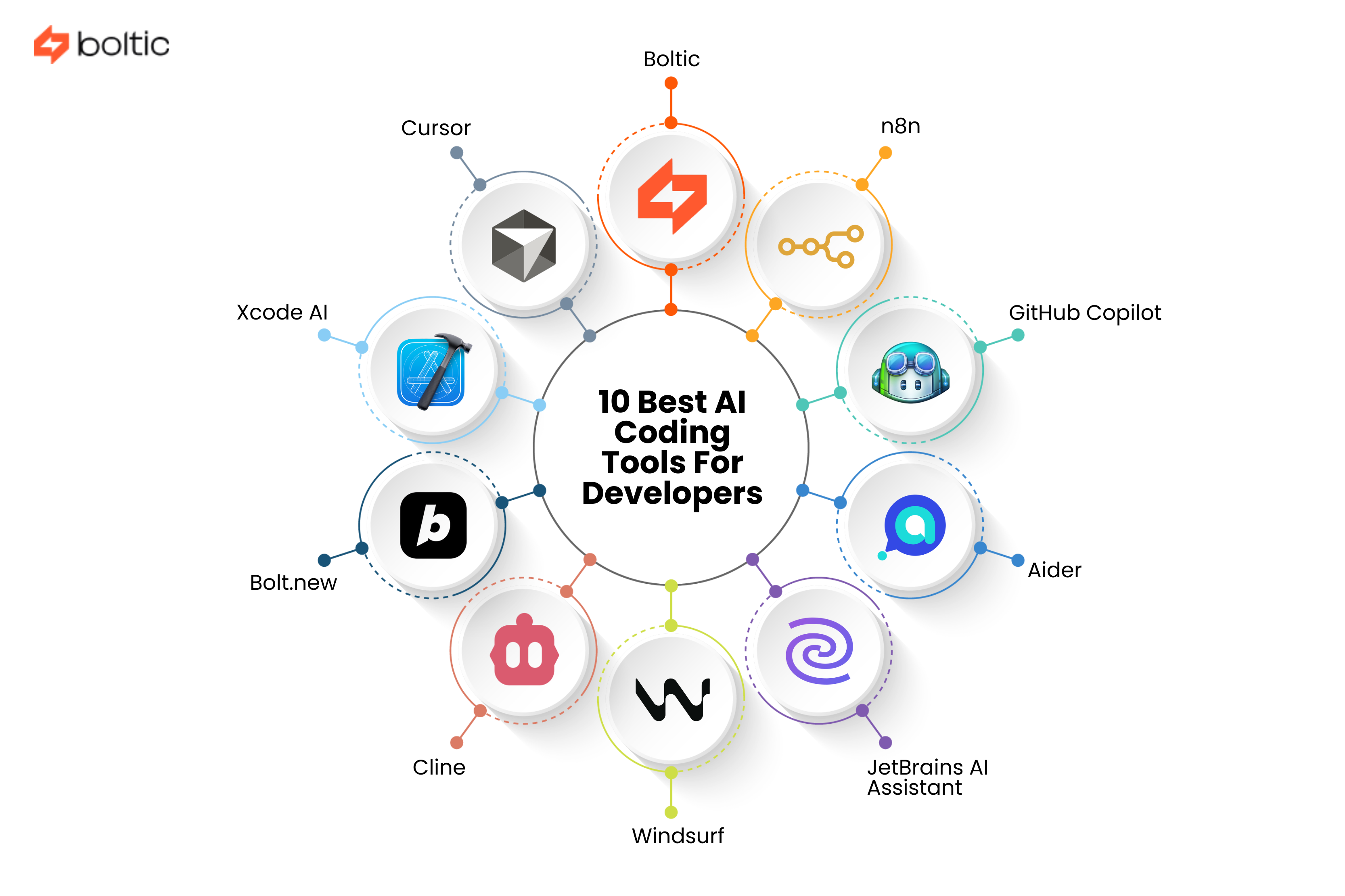
Know where each tool fits: IDE help, automation, or system-level orchestration.
These are the platforms that go beyond code generation and end with tools focused on IDE assistance and local development.
1. Boltic
Overview
Boltic is very different from any traditional IDE or autocomplete assistant that one would come across. It is an AI-native workflow automation and data orchestration platform designed for developers who need AI to act, not just suggest.
It does not generate code in isolation. Rather, it connects live data, APIs, SaaS tools, databases, and LLMs into production-ready workflows. It acts as a central control layer where AI agents can safely read and write real business data.
For teams building AI-powered systems, not just features, Boltic sits at the core.
Main Features
- Visual no-code / low-code workflow builder
- 150+ pre-built connectors (DBs, SaaS, APIs, cloud tools)
- Pipes for real-time change-data-capture (sub-second sync)
- Tables: built-in serverless datastore with auto-ML support
- MCP Server Generator (turn workflows into LLM-safe tools)
- Agentic AI support (GPT / Claude can update CRMs, DBs, calendars)
- CLI + Python notebooks for advanced users
- Real-time monitoring, audit logs, RBAC, SSO, on-prem agent
Use Cases
- AI agents that update CRMs, schedules, and databases
- Automating code generation, testing, and deployment pipelines
- E-commerce ops: orders, inventory, refunds, notifications
- Subscription lifecycle automation
- Sentiment analysis pipelines ( DB → LLM → dashboard )
- Internal tooling without maintaining glue code
Pricing
- Free: 30-day trial, 1,000 executions
- Growth: $33-$99/month
- Business: $179-$399/month
- Enterprise: Custom plans
2. Cursor
Overview
This is an AI-first code editor built on top of VS Code. It is designed for developers who want deep AI assistance inside a familiar editor, but with far more context awareness.
Main Features
- Context-aware AI code completion
- Multi-file and project-wide understanding
- Composer workspace for complex code generation
- Agent mode for automated tasks
- Inline refactoring using natural language
- Image and screenshot support
- Custom rules for AI behavior
Use Cases
- Refactoring large codebases
- Generating boilerplate and tests
- Debugging with contextual explanations
- Writing documentation alongside code
Pricing
- Hobby: Free (limited Agent usage, limited completions)
- Pro: $20/month (extended Agent usage, unlimited completions)
- Pro+: $60/month (3× model usage across OpenAI, Claude, Gemini)
- Ultra: $200/month (20× model usage, priority feature access)
- Teams: $40/user/month (billing, analytics, RBAC, SSO)
- Enterprise: Custom plans (pooled usage, audit logs, admin controls)
3. GitHub Copilot
Overview
This option is adopted as an AI coding assistant, deeply integrated into the GitHub ecosystem and popular IDEs.
Main Features
- Real-time code completion
- Copilot Chat for explanations and debugging
- Pull request summaries and reviews
- CLI command generation
- Multi-language and multi-IDE support
- Enterprise security controls
Use Cases
- Pair programming
- Code review assistance
- Documentation generation
- Rapid prototyping
Pricing
- Free: $0 (limited chat and completions)
- Pro: $10/month or $100/year (unlimited completions, agent mode, broader model access)
- Pro+: $39/month or $390/year (access to all models, higher premium usage, Spark support)
- Business: $19/user/month (team management, usage metrics, IP and data protections)
- Enterprise: $39/user/month (all models, higher premium limits, Spark access)
4. Bolt.new
Overview
This is a browser-based AI development environment that focuses on rapid full-stack web development. The tool is very good at removing setup friction entirely.
Main Features
- Natural-language code generation
- Live preview and hot reload
- Built-in terminal and npm support
- One-click deployment
- GitHub repo import
- Android app support via Expo
Use Cases
- Rapid prototyping
- Web app demos
- Frontend experimentation
- Full-stack MVPs
Pricing
- Free: $0 (limited monthly tokens, Bolt branding)
- Pro: $25/month (higher token limits, custom domains, no branding)
- Teams: $30/user/month (team billing, access controls)
- Enterprise: Custom plans (security, compliance, SLAs, dedicated support)
5. JetBrains AI
Overview
JetBrains AI Assistant integrates directly into JetBrains IDEs, offering deep IDE-native AI capabilities.
Main Features
- Project-wide context understanding
- Inline code generation and refactoring
- Test and documentation generation
- Local LLM support via Ollama
- JetBrains’ own Mellum model
Use Cases
- Kotlin and JVM development
- Enterprise codebases
- Teams already on JetBrains IDEs
Pricing
- AI Free: $0 (limited cloud credits, local AI support)
- AI Pro: $100/user/year (moderate AI credits, chat, coding agent access)
- AI Ultimate: $300/user/year (higher AI credits, frequent agent usage)
- AI Enterprise: $720/user/year (maximum credits, enterprise security, custom integrations)
6. Windsurf
Overview
A completely AI-native IDE which is built for maintaining developer flow. It has traditional IDE features as well as advanced AI assistance.
Main Features
- Cascade AI assistant
- Web search inside the editor
- Project-wide context awareness
- Custom rules and memory system
- Multi-LLM support
Use Cases
- Research-heavy development
- Large codebases
- AI-assisted debugging and refactoring
Pricing
- Free: $0 (25 prompt credits/month, basic models)
- Pro: $15/month (500 credits/month, premium models, full context)
- Teams: $30/user/month (500 credits/user, analytics, admin controls)
- Enterprise: Custom (1,000+ credits/user, RBAC, SSO, priority support)
7. Xcode AI
Overview
It is Apple’s AI assistant inside Xcode. The tool mainly focuses on Swift and SwiftUI development with privacy-first local execution.
Main Features
- Local AI models
- Swift-specific suggestions
- Offline operation
- Tight Xcode integration
Use Cases
- iOS and macOS development
- SwiftUI projects
- Privacy-sensitive environments
Pricing
- Pro: $30/month (600 chat credits, unlimited code applies)
- Unlimited: $200/month (unlimited chat credits, 1 device)
- Teams: $50/user/month (1,000 credits/user, team controls)
- Enterprise: Custom pricing
8. Cline
Overview
This is a VS Code extension which is built for deeper project context and tool-based AI interactions.
Main Features
- Memory bank system
- Terminal and file operations
- MCP server integration
- Screenshot analysis
- Flexible model selection
Use Cases
- Tool-heavy projects
- Context-aware debugging
- AI-assisted system changes
Pricing
- Core Tool: Free (open-source VS Code extension)
- Usage Cost: Pay-per-token via chosen AI model (BYOK)
- Budget Models: ~$0.14-$0.80 per million tokens
- Premium Models: ~$1.25-$22.50 per million tokens
- Enterprise: Depends on the model provider and deployment
9. Aider
Overview
This is an open-source CLI-based AI coding assistant which is tightly integrated with Git workflows.
Main Features
- Git-native operations
- Multi-file edits
- Voice input
- Diff-based changes
- Local and cloud model support
Use Cases
- Terminal-centric development
- Git-driven workflows
- Experienced developers
Pricing
- Starting: $10 per client/month
- Minimum: $300 per month
- Commitment: 12 months (monthly or annual billing)
- Trial: 14-day free trial
- Scaling: Per-client cost decreases as volume increases
10. n8n
Overview
n8n is a low-code automation platform increasingly used by developers to orchestrate systems instead of writing brittle glue code.
Main Features
- Visual workflow builder
- 400+ integrations
- AI-native nodes
- Error handling and retries
- Self-hosted option
Use Cases
- Automation workflows
- AI agents and pipelines
- API orchestration
Pricing
- Starter: ~€20-$20/month (approx. 2.5 K workflow executions)
- Pro: ~€50-$50/month (approx. 10 K workflow executions)
- Business: ~€667/month (approx. 40 K workflow executions; collaboration features)
- Enterprise: Custom plans (unlimited executions, advanced security, SLA)
- Self-Hosted Community: Free (unlimited workflows and executions
Boltic vs IDE-Based AI Coding Tools: What’s the Real Difference?
Most AI coding tools today focus on assisting developers while they write code. Boltic focuses on what happens after the code exists.
That distinction matters.
IDE-Based AI Coding Tools (Cursor, Copilot, Windsurf)
These tools are excellent at:
- Autocompleting code
- Explaining logic
- Refactoring files
- Speeding up development inside an editor
They work best when:
- The task is contained within a codebase
- Inputs and outputs are clearly defined
- The developer remains in control of execution
Limitation:
- They do not manage live systems. They do not orchestrate APIs, databases, queues, retries, or real-time data changes.
Boltic’s Approach: AI That Operates Systems
The tool treats AI as an operator and it does not just limit it to an assistant. Instead of generating code and stopping there, the tool lets AI do the following:
- Read and write to live databases
- Trigger workflows across SaaS tools
- Handle retries, failures, and edge cases
- Expose safe tools to LLMs via MCP servers
- Maintain audit logs and role-based access
This makes Boltic ideal for:
- AI agents that take real actions
- DevOps-style automation
- Backend-heavy and data-driven systems
- Teams that are tired of maintaining glue code
A Simple Mental Model
That is where AI stops being impressive and starts being useful. With these differences in mind, choosing the right AI coding tool becomes less about popularity and more about how your team actually builds and runs software.
How to Choose the Best AI Coding Tool
Many different aspects are there to notice before making the final move.
- Use IDE assistants (Cursor, Copilot) for daily coding help
- Use AI IDEs (Windsurf, Bolt.new) for immersive workflows
- Use orchestration platforms (Boltic, n8n) for production systems
The most effective teams combine tools and do not replace developers.
Conclusion
The rapid rise of AI coding tools promises efficiency. But, you must remember that speed alone does not build reliable systems. The real advantage lies in smart AI assistance with:
- Strong orchestration
- Clean data flows
- Production safeguards
So, the choice is best when it is well-informed. Code is only the start. Systems are what ship.
drives valuable insights
Organize your big data operations with a free forever plan
An agentic platform revolutionizing workflow management and automation through AI-driven solutions. It enables seamless tool integration, real-time decision-making, and enhanced productivity
Here’s what we do in the meeting:
- Experience Fynd Boltic's features firsthand.
- Learn how to automate your data workflows.
- Get answers to your specific questions.