

How modern teams automate 80% of the SEO workload, and where your smart efforts fit in the stack.
Everything in search has shifted in 2025. Google’s AI Overviews are showing up in 21% of all queries. Nearly 70% of users search in natural language. And 86% of SEO teams already use AI for keyword research.
AI SEO workflows are no longer “nice to have.” They are the only way to keep pace with entity-driven SERPs, conversational search patterns, and shrinking click-through windows.
In this guide, we will break down a repeatable, end-to-end AI SEO workflow for:
- Keyword research
- Schema generation
- Content optimization
…and show how workflow automation eliminates the manual glue work between them. Let us begin.
Why AI SEO Workflows Matter in 2025
SEO is not just about ranking pages anymore. It is about supplying Google with the right:
- Entities
- Relationships
- Context
- Structured data
- On-page clarity
Manual workflows simply do not scale for this.
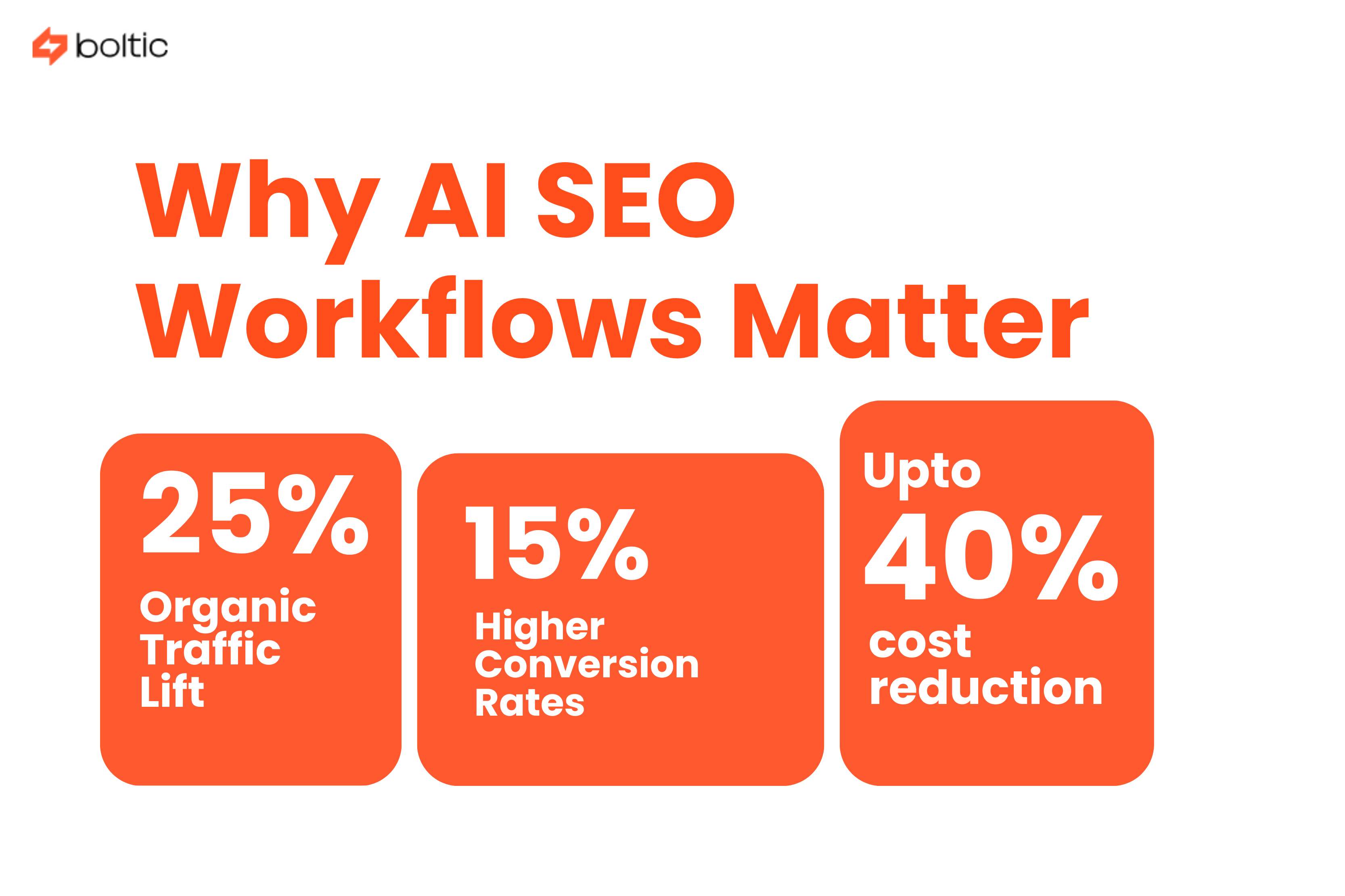
Teams that automate keyword research and on-page optimization see, on average:
- 25% organic traffic lift
- 15% higher conversion rates
- Up to 40% cost reduction vs. manual SEO research
The shift is clear: AI SEO workflow automation unlocks more coverage, faster cycles, and better SERP-fit content.
1. Automate Keyword Research at Scale
This will cover how AI handles the heavy data lifting and the strategists can pay more attention to decisions.
Step A: Expand seed keywords
AI Stack: Semrush One Keyword Magic + People-Also-Ask API
What this does:
- Expands seeds into thousands of terms
- Pulls autosuggest, PAA, related entities, Reddit, and Quora queries
- Grabs SERP features and intent clues
Run 3-5 seed terms and export CSV. Also, auto-dedupe in Sheets or Airtable.
Step B: Cluster semantically, not by stem
AI Stack: Keywordly, AirOps, or embedding-based tools
What this does
- Group keywords by meaning and not the “phrase match.”
- Prevents cannibalization
- Connects clusters to natural-language search patterns
So, a lot can be done here. You can set a similarity threshold between the 0.75-0.80 range for tight clusters.
Step C: Auto-tag search intent
AI Stack: Clickflow, Frase
Why it matters: SERPs have this pattern of aligning with intent classes like:
- Learn
- Evaluate
- Buy
- Solve / Troubleshoot
- Post-purchase
This helps writers and strategists align the “job to be done” with each cluster.
Step D: Score opportunity automatically
AI Stack: Gumloop or n8n formulas
How scoring works:
Other things that you can also add:
- Authority Fit (your DR/DA vs competitors)
- Seasonality Index
- AI Overview presence
Outcome of Step A
You get a daily-updating keyword universe stored in a Sheet or Airtable:
- Cluster
- Intent
- Volume
- Difficulty
- Forecast traffic
- Revenue value
- Priority scoring
A strategist’s dream: a single source of truth with fresh SERP and trend data.
Where Boltic Fits in Keyword Research
To be honest, it does not replace Ahrefs or Semrush. Instead, it becomes the automation layer:
The role here is that it:
- Connects Ahrefs, Semrush, Google Trends, Search Console, and GA4 into a unified data lake
- Auto-pulls fresh keyword datasets daily
- Clusters & scores with their own AI layer (CTR potential, seasonality, contextual difficulty)
- Pushes clusters directly into Surfer, Frase, Notion, Trello, or any content board
Result? Writers open the content board → the brief is already there → no exporting, deduping, or CSV juggling.
This alone removes 70-80% of the manual SEO research workload.
2. Turn Clusters Into High-Quality Content Briefs & Drafts
Once clusters are ready, the next step is turning them into production-ready drafts.
Step A: Auto-generate briefs
AI Stack: Surfer AI, Semrush Content Toolkit
Delivers:
- H1-H3 skeleton
- NLP terms
- Keywords to include
- Word count targets
- Competitor coverage
- Internal link hints
Briefs that once took 45 minutes now take 45 seconds.
Step B: Run SERP gap analysis
AI Stack: Frase, Surfer Content Audit
This identifies:
- Missing subtopics
- Missing entities
- Featured snippet patterns
- AI Overview patterns
- Related topics competitors include
This ensures your content does not miss any SERP-critical section.
Step C: Generate the first draft
AI Stack: Surfer AI, Keywordly GEO, Contentshake
These tools output:
- 1,500-2,500-word drafts
- 65-75 optimization score
- Multi-language support
- Entity-rich sections
It serves so well to the writers now that they spend more time refining and not in drafting.
Step D: Human polish
Even with AI, human EEAT matters.
Add:
- First-hand examples
- Screenshots
- Quotes
- Expert notes
- Author bios
This is what helps content survive algorithmic audits.
Where Boltic Fits in Content Production
The tool orchestrates the flow:
- New keyword clusters automatically create briefs in Surfer or Frase
- Drafts push into Notion / Docs / CMS
- Status updates sync into Jira, Asana, or ClickUp
- Writers get Slack alerts when a brief is ready
The tool is not the drafter because it acts as the pipeline that keeps writers, editors, and SEO tools in sync.
3. Generate & Manage Schema Automatically
If you see Schema now, it comes as an essential for entity SEO and AI Overview visibility. But writing JSON-LD manually is slow and error-prone.
Here is the modern workflow:
Step A: Extract entities automatically
AI Stack: Schemawriter.ai, Corpowid
These tools pull:
- Article entities
- Product attributes
- FAQ items
- Organizational data
- Wiki/Wikidata IDs
It ensures your schema aligns with Google’s entity graph.
Step B: Auto-generate JSON-LD
Generates:
- Article
- FAQ
- Product
- LocalBusiness
- Video
- Breadcrumb
- Speakable text
Schemawriter can produce this at scale.
Step C: Deploy schema in one click
Corpowid’s snippet or your CMS’s schema module can:
- Push schema live
- Auto-update
- Validate against Rich Results testing
Where Boltic Fits in the Schema
Boltic does not generate the schema itself. But it has a role. It pulls:
- Pull schema-related fields from CMS, ERP, PIM, feeds
- Map these fields visually to the schema generator’s required format
- Version-control the mappings
- Auto-sync new product fields, new article fields, and new attributes
- Send the structured dataset to Schemawriter or your in-house schema engine
Boltic removes the ETL workload behind the schema, the part most teams spend hours maintaining.
Think of it as automated data prep for your schema tool.
4. Publish, Interlink & Measure Automatically
Step A: Automate internal linking
AI Stack: Link Whisper, AirOps
They analyze your entire sitemap and suggest semantic matches. Boltic can push the approved links directly into the CMS through APIs.
Step B: Index instantly
AI Stack: Google Indexing API via n8n
New pages get indexed in under 30 minutes and no more in days. Boltic has the capability that can trigger indexing automatically on publish.
Step C: Build a unified SEO dashboard
AI Stack: Looker Studio + GSC + Semrush One
Track:
- Cluster-level rankings
- Featured snippets
- AI Overview citations
- Impressions & clicks
- Conversion attribution
Boltic syncs all these data sources into your warehouse, so dashboards stay fresh.
5. Build an Always-On Optimization Loop
SEO is no longer a “publish and pray” sport. The loop must run continuously.
Set your workflow to run weekly:
- Re-score clusters using fresh SERP volatility
- Detect content decay
- Audit schema validity
- Monitor AI Overview volatility
- Flag pages whose SEO score drops below 65
Once flagged:
- Auto-create a refresh brief
- Notify editors
- Sync tasks to project management
- Trigger republishing once updated
Boltic can automate every part of this loop, transforming SEO into a self-correcting system.
Cheat-Sheet: AI SEO Tool Combos
Boltic as the SEO Mission-Control Plane
Across all three pillars, keyword research, schema, and content optimisation, Boltic does not try to be “another SEO tool.” It's role is different:
It:
- Connects SEO tools
- Moves data where it needs to go
- Updates dashboards
- Triggers workflows
- Executes tasks autonomously
- Eliminates human copy-paste cycles
- Turns static models into active SEO agents
SEO becomes: One connected, self-updating, closed-loop system.
This is the future of AI SEO workflows: fast, scalable, and fully automated.
Final Word
AI has changed SEO forever. But automation is what makes AI usable at scale.
Follow this workflow and you will compress what used to be a two-week research → brief → draft → publish cycle into a 2-hour automated routine, with more accuracy and better SERP-fit content.
Boltic simply makes the workflow run itself. If you want, I can create a second draft, a shorter version, or a variant for landing pages.
drives valuable insights
Organize your big data operations with a free forever plan
An agentic platform revolutionizing workflow management and automation through AI-driven solutions. It enables seamless tool integration, real-time decision-making, and enhanced productivity
Here’s what we do in the meeting:
- Experience Fynd Boltic's features firsthand.
- Learn how to automate your data workflows.
- Get answers to your specific questions.

.png)