
Your CRM is full of potential. Yet most teams aren't tapping into it because they're stuck manually executing the workflows that HubSpot tracks. The data is there. The strategy is there. But the execution often lags.
That changes with the HubSpot Boltic integration. And the numbers tell the story: customers using HubSpot integrations close 8x more deals than those without, while 54% of businesses expect to see ROI from workflow automation within 12 months.
The gap isn't between having a CRM and not having one. It's between teams that manually move data through their CRM and teams that automate every step. The Boltic HubSpot integration closes that gap, transforming your CRM data into automatic and intelligent workflows that create no friction and speed up the outcomes.
Let's explore how this integration works and why forward-thinking teams are making the integration core to their growth strategy.
Why CRM Automation Matters Now More Than Ever
A CRM without automation is like a car with a great engine but no gearbox. All that power goes nowhere.
Customers using HubSpot also receive 107% more leads, close 35% more deals, and resolve 28% more tickets in only six months of usage. But here's the catch: these results come from teams actively using automation within their CRM, not just logging data into it.
The Boltic HubSpot integration solves this automation challenge. Instead of manually triggering follow-ups, assigning leads, or updating records, your workflows handle it automatically. Your team focuses on relationship-building and strategy. The system handles execution.
What the HubSpot Boltic Integration Actually Does

The Boltic HubSpot integration bridges the CRM data of HubSpot and the no-code workflow automation of Boltic. This means that you can create visual workflows that react to HubSpot events without writing even a single line of code. Here's what becomes possible:
- Automatic workflow execution: Once a new lead is created in HubSpot, Boltic will automatically run your workflows without any human intervention.
- Pipeline-stage triggers: Automations are activated immediately when a deal reaches a given stage of the pipeline.
- Event-based responses: When a contact takes a significant action, your system responds using predefined logic.
- Lead nurturing automation: Design custom sequences that run automatically based on prospect behavior.
- Ticket assignment rules: Develop smart routing of tickets, which forwards support requests to the appropriate team.
- Deal progression workflows: Create automated workflows that guide deals through your pipeline.
The key advantage: the HubSpot Boltic integration lets non-technical team members build and modify workflows. Your marketing manager can create a lead-nurturing automation. Your support team can develop ticket assignment rules. Your Salesforce can create deal progression processes. No developers required.
The Financial Impact: Why This Integration Pays for Itself
The ROI from workflow automation is substantial. Automation removes the heavy workload of manual and repetitive work that wastes the precious time of your staff. Rather than logging data and doing the same tasks, teams can focus on working on relationships and strategy.
Workflow automation reduces repetitive task time by 60-95%. When your sales team is taking three hours a day to enter data and perform manual work, automating those processes frees up significant capacity. That is the capacity you can divert to either selling, prospecting, or customer relationships.
The Boltic HubSpot integration typically pays for itself within months through productivity gains alone. Once you add the fact that you have quicker deal cycles, customer satisfaction, and lead management, the ROI becomes even more compelling.
How to Implement HubSpot Boltic Integration Effectively?
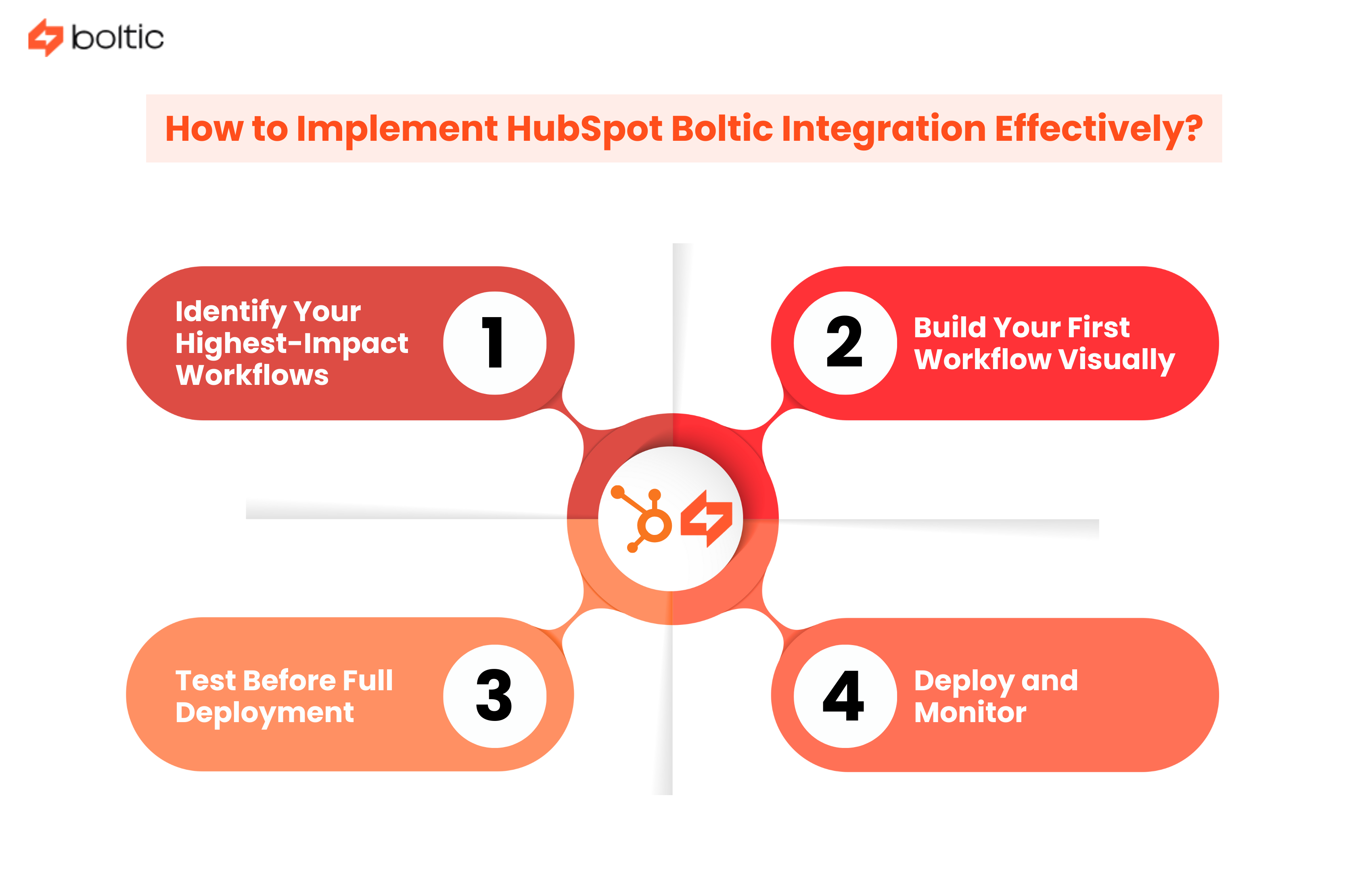
The HubSpot integration is best utilized in a systematic way instead of automating everything immediately.
Step 1: Identify Your Highest-Impact Workflows
Start by mapping where manual work creates the most friction.
- Where do leads get lost?
- Where do your team members spend the most time on repetitive tasks?
- Where do handoffs between departments create delays?
These are your starting points. Then focus on impacts.
- A lead routing workflow that eliminates manual assignment? High impact.
- An automated reminder for overdue follow-ups? Medium impact.
- An automatic contact cleanup process? Lower impact initially, but still valuable.
The Boltic HubSpot integration lets you start small and expand. Pick your top three workflows to automate first.
Step 2: Build Your First Workflow Visually
With Boltic's drag-and-drop builder, you don't need a developer. Add your actions to a workflow trigger based on HubSpot events and configure an action: send an email, create a task, send a Slack notification, or activate an action in another tool connected to HubSpot. All of these and more are supported by native connectors in the Boltic HubSpot integration.
Teams implementing workflows with Boltic see significant acceleration in their automation timeline. What previously required weeks to create now takes days, and team members who are not technical can construct and alter workflows on their own.
Step 3: Test Before Full Deployment
Run your workflow on historical HubSpot data first. See how it would have performed on past leads. Refine your logic, adjust your conditions, and ensure accuracy before it goes live.
Step 4: Deploy and Monitor
Start your automated process and keep track of its activity. The data from HubSpot and the workflow logs provided by Boltic will allow you to know exactly what is going on. Monitor the relevant metrics: lead assignment time, follow-up consistency, and customer satisfaction.
Beyond Basic Automation: Advanced Workflows
When you are familiar with the fundamentals of workflows, you can do more complex automation using the Boltic HubSpot integration. Here's what becomes possible at an advanced level:
- Behavior-based workflows: Build workflows that are responsive to customer behavior and patterns of engagement.
- Lead scoring automation: Automate your lead scoring and automatically recognize your best prospects.
- Multi-step process orchestration: Let prospects have a multi-step tour of your entire sales process with workflow connections.
- Automated handoffs: Once prospects become customers, automatically pass them to support and onboarding operations.
- Renewal triggers: Set up workflows that initiate account review processes at renewal dates
Advanced teams use the HubSpot Boltic integration to orchestrate their entire customer journey.
Real World Workflow Automation Example
As a prospect enters HubSpot, they are shown through a set of intelligent workflows through your sales process. Upon turning into a customer, they are transferred to another set of workflows that pass them to support and automatically initiate onboarding processes. When they reach a renewal date, yet another workflow triggers the account review process.
This isn't manual work coordinated through email and spreadsheets. It's your customer journey implemented as automated, intelligent logic.
The Integration That Connects Your Stack
The majority of teams don’t just work in HubSpot. You might also be using Slack, Gmail, Zapier, or dozens of other tools. The Boltic HubSpot integration doesn't force you to choose.
The HubSpot data takes the center of a well-integrated ecosystem in which information flows automatically to the point of need. Activities are allocated, alerts are delivered, and information remains updated across all your systems automatically.
Your entire operation works as one coordinated system, with information flowing seamlessly between tools and teams.
Making the Case to Your Team
If you're considering the Boltic HubSpot integration, here's the argument that resonates: this is about multiplying your team's productivity without hiring more people.
Automation of workflow allows smaller teams to achieve what once would have required a larger headcount. You close more deals, support more customers, and generate more leads without the corresponding increase in the size of your staff.
Conclusion
The teams, which continue to operate with CRM manually, are working at an unnecessary disadvantage. They are creating additional work, introducing errors, and slowing down their customer journey.
Ready to automate your HubSpot workflows? The no-code workflow automation offered by Boltic allows HubSpot integration with the rest of your tech stack, eliminating manually performed CRM work. Create smart, automatic workflows without a developer, and watch your team's productivity multiply.
Less manual work. More closed deals. That’s how modern CRMs should work.
drives valuable insights
Organize your big data operations with a free forever plan
An agentic platform revolutionizing workflow management and automation through AI-driven solutions. It enables seamless tool integration, real-time decision-making, and enhanced productivity
Here’s what we do in the meeting:
- Experience Fynd Boltic's features firsthand.
- Learn how to automate your data workflows.
- Get answers to your specific questions.