



Patient Assessment
Integrations Used
_1744196091410.svg)



_1727263329637_1735902460555.svg)
Set up a webhook to receive patient data from your web form.
Ensure the input data conforms to the expected schema, including fields like patient ID, name, contact information, and symptoms.
Use the Input_Validator node to clean and validate the data.
The Patient_Assessment node processes validated data using AI for symptom assessment.
Store the processed patient record in the Patient_Record node.
Configure the gmail1 node to draft an email with the assessment results for further communication. Prerequisites: Access to the web form data and email configuration setup.
Prescription OCR
Used by 1kAutomate OCR extraction of prescriptions from email attachments.


Dynamic Slack Notifier
Used by 1kAutomate Slack notifications using dynamic webhook triggers.
Sales Data Logger
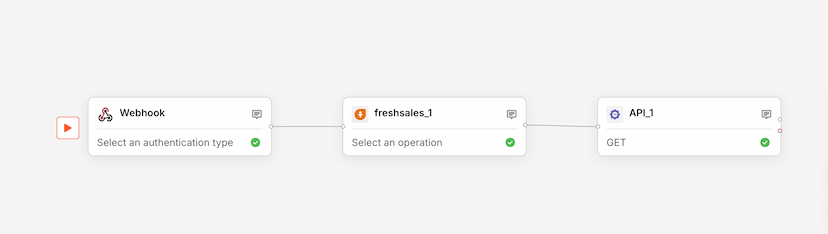
Used by 1kLog sales data from webhooks to Freshsales via API integration.