



LM- Automate Instagram Carousel Posts with Google
Integrations Used
_1744196091410.svg)


_1743765612802.png&w=48&q=75)
Ensure you have access to a Google Sheet configured with post details, including image URLs and captions.
Set up the schedule in the workflow to define when the posts should be automated (daily, weekly, etc.).
Connect your Instagram account through the appropriate API integration.
Verify that the Cloudinary account is set up for hosting media files.
Initiate the workflow to start fetching data from Google Sheets, uploading images, and creating Instagram carousel posts.
Monitor the Google Sheet for updates on post status and Instagram links.
Resume Analysis
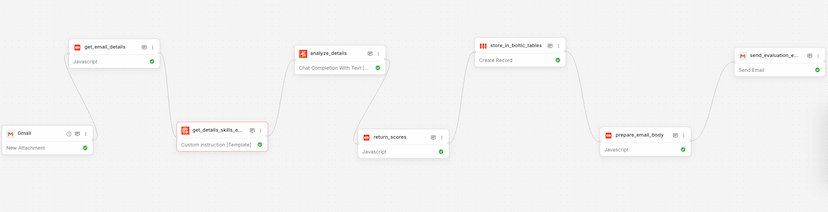
Used by 1kAutomates resume analysis and sends evaluation reports via email.

Product Onboarding & Embedding – Using OpenAI
Used by 1kAutomate product onboarding and embedding using OpenAI's API.
Kaily AI Tools
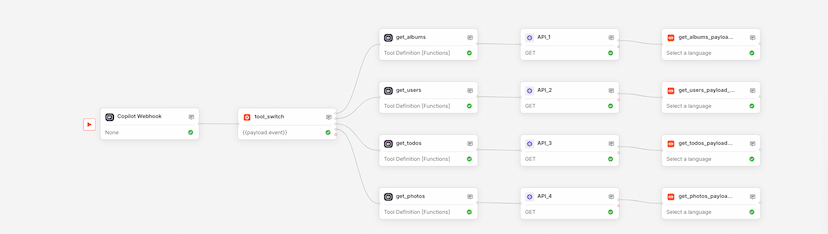
Used by 1kUse this Boltic workflow template to orchestrate Copilot.Live AI actions with webhook triggers, dynamic branching, and tool-based execution—no code required.