



Automated Calendar Scheduler
Integrations Used


Set up a webhook to trigger the workflow when a specific event occurs.
Customize the script logic in the Function node to process the incoming data and prepare it for scheduling.
Configure the Google Calendar Activity node by setting the necessary parameters, such as event times and attendees.
Ensure all nodes are correctly configured and test the workflow to verify functionality.
Deploy the workflow for ongoing, automated calendar management.
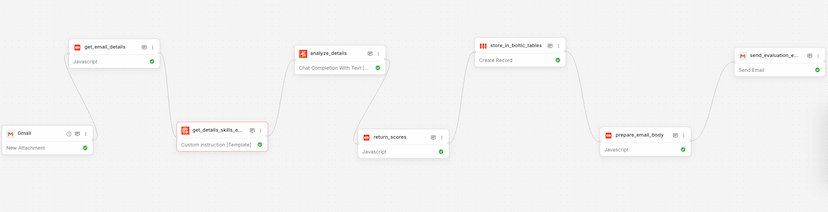
Resume Analysis
Used by 1kAutomates resume analysis and sends evaluation reports via email.

Product Onboarding & Embedding – Using OpenAI
Used by 1kAutomate product onboarding and embedding using OpenAI's API.
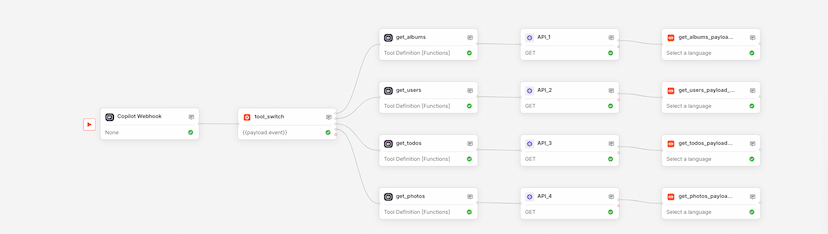
Kaily AI Tools
Used by 1kUse this Boltic workflow template to orchestrate Copilot.Live AI actions with webhook triggers, dynamic branching, and tool-based execution—no code required.